The Best Office Chair Is the One You Can Fit Properly
An office chair in a family-room work corner has two jobs: support the person working and fit into a space other people still use. Adjustment range, seat shape, back support, and the relationship to the desk determine whether its features help during actual work. Its occupied footprint and parking position also matter when someone walks from the sofa to the hallway. Start with individual fit, then test the chair beside the room’s seating, storage, and regular routes. A compact outline is useful only if it still offers the support and settings the user needs. Compare suitable models through a real work session and the transition back to shared family time, rather than assuming one highly rated chair will suit every person or room.
Describe the Work the Chair Will Support
Begin with the tasks you do most often at the family-room desk. Keyboard work, reading printed material, drawing, and video calls can place different items in the main working area. Note both what makes the chair uncomfortable and what happens around it: a person passing behind the seat, a drawer opened beside it, or a sofa user reaching the nearby lamp. Try the chair while one of those ordinary activities takes place. A specific complaint, such as being unable to use the backrest without blocking the room’s approach, gives the trial a useful problem to solve without letting appearance decide the purchase.
Identify every regular user if the chair will be shared. Their needs may differ enough that a model’s adjustment range matters more than the initial showroom setting. Ask whether controls can be operated and reset conveniently. A feature only helps a shared workstation when each person can use it, and when the chair’s range actually accommodates the people involved.
Keep purchase priorities separate from decorative preferences at first. Upholstery color and silhouette still matter in a home, but they should be considered among chairs that meet the functional brief. This can prevent a visually appealing model from driving a series of awkward desk changes later. The chair should work with your tasks before its finish completes the room’s style.
Check the Seat Height Range in Your Workstation
Look at the actual adjustable seat-height range rather than a broad claim that the chair fits most people. Consider the desk or keyboard height and the support available for your feet. OSHA’s chair guidance advises supported feet and a chair adjusted in coordination with the desk and computer components. Those relationships matter more than picking one universal seat height from a photograph.
Try the chair with shoes similar to those used while working. Ask whether the lowest and highest usable settings cover your needs, and notice whether adjustment is straightforward while seated. If a fixed desk requires a different chair position, assess suitable foot support as part of the setup. Do not consider a chair independently from the work surface it must serve.
Fit the Seat Depth to Reach the Backrest
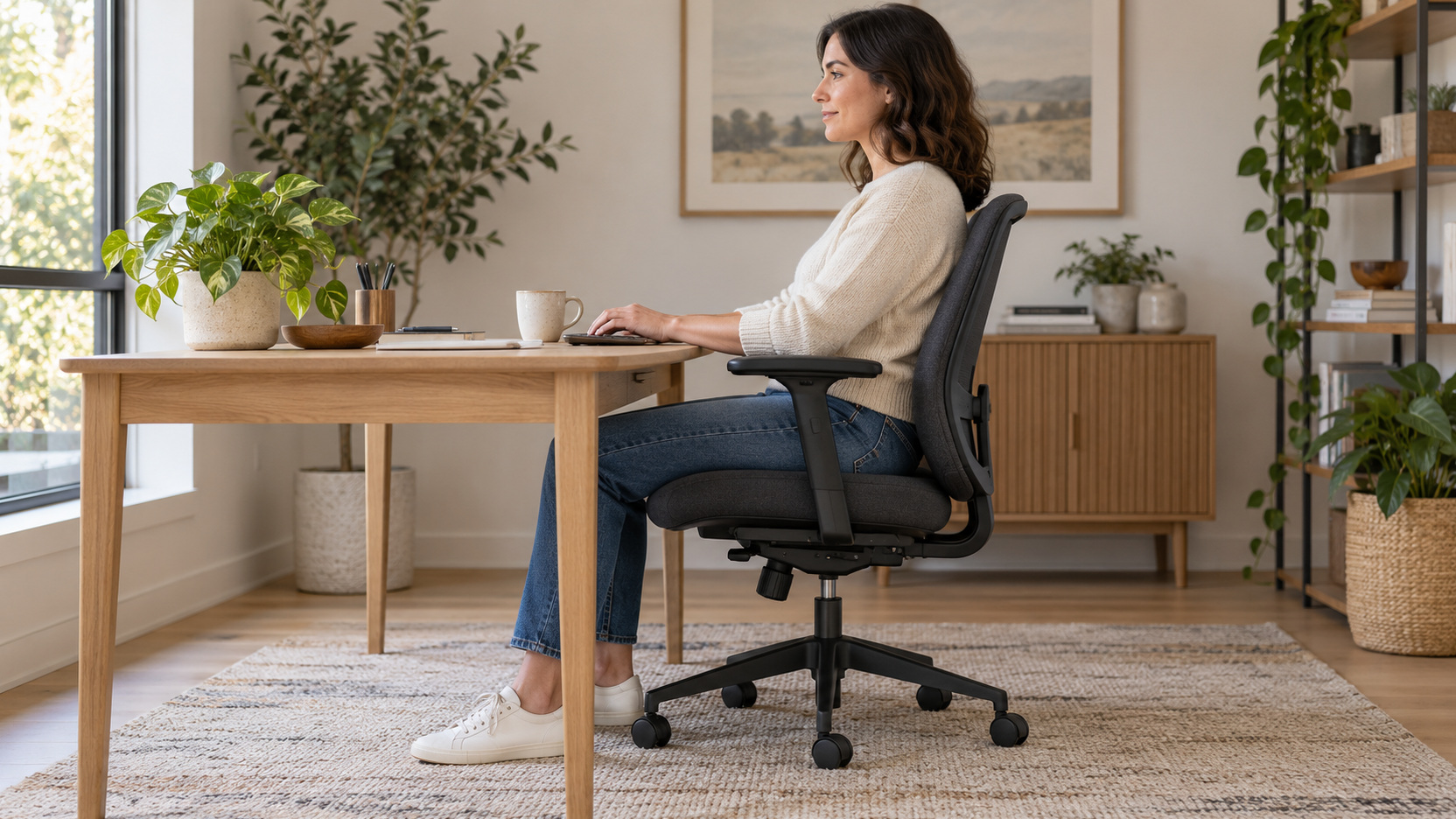
A seat should support the user while allowing the backrest to be used without the front edge pressing into the back of the knees. Depth adjustment can help, but its range and the shape of the seat still need trying. OSHA describes this relationship in its chair guidance. The practical test is whether the adjustment produces a supported position for you, not simply whether a slider appears on the specifications.
Ask the representative to show how the depth mechanism works and whether its movement affects other settings. Try the relevant positions without forcing yourself into a showroom pose that you would not use at home. Record which setting felt workable so you can compare another chair fairly. A clear observation of fit is more useful than a vague impression that one model felt luxurious.
Pay attention to the usable seat width and the room available between any arms. Overall chair width can include a broad base or decorative elements rather than describe the sitting surface. Confirm dimensions from the actual model and evaluate entry and exit as well as seated fit. The chair must accommodate ordinary movement instead of feeling suitable only while you remain still.
Evaluate Back Support Through the Adjustment Range
The backrest should provide support where you need it in the positions used for work. Ask how any lumbar adjustment operates and test the relevant range rather than assuming a prominent curved feature will land correctly. Some chairs offer several interacting settings, while others rely more on their shape. A comfortable-looking profile cannot establish personal fit without a trial.
Change one setting at a time while learning the chair. That makes it easier to understand whether a different height, depth, or back adjustment improved the working position. Keep the manual or adjustment guide available after purchase. A model with excellent controls can remain poorly fitted if nobody knows how to operate them.
Recline or tilt should be tried within the chair’s intended operation. Ask how resistance or locking functions work and whether returning toward the desk feels manageable. The goal is useful movement with appropriate support, not maximum movement for its own sake. Include the work surface and screen relationship when evaluating how you would use the feature during an ordinary day.
Do not interpret a first pleasant impression as proof of comfort over a full workday. A short trial gives useful information but has limits. Where a seller offers a return or trial policy, read its conditions, costs, and exclusions before ordering. That policy can help make a longer assessment practical without being mistaken for a guarantee that the chair will suit you.
Check Arms Against Your Shoulders and Desk
Armrests should be evaluated through their placement and whether they obstruct working access. OSHA’s guidance describes relaxed shoulders and arms positioned near the body as useful considerations. Try the chair close to the actual desk arrangement or a comparable surface, and ask about adjustable ranges. An arm feature that prevents reaching the keyboard comfortably may be inconvenient even when it feels pleasant during an isolated seating trial.
Understand the Controls Before Paying for Them
Ask for a complete demonstration of the settings that influence your shortlisted chair. Locate the controls and confirm whether you can operate them as intended. Some adjustments are easy to understand immediately, while others need the model’s guide. A feature count cannot tell you whether the controls will be convenient for the person who uses them each day.
Record the essential settings and how they are reset. This is particularly useful for a shared chair or a workspace that changes between tasks. Avoid choosing complexity merely because it sounds advanced. The better system is the one whose useful adjustments cover your needs and can be applied without repeated confusion.
Consider the whole user experience, including moving the chair into position and getting out of it. A control that is difficult to reach or an arm arrangement that interferes with entry can affect daily satisfaction. Try these ordinary actions during the visit when permitted. They are easy to overlook while concentrating on the backrest alone.
Match the Base and Casters to the Setting
Review the maker’s intended use, capacity, base design, and caster options. OSHA recommends a strong five-leg base and casters appropriate to the workstation floor. Confirm the suitable choice for your flooring rather than assuming the standard wheel will be ideal everywhere. Any required floor protection should also be compatible with the floor and the chair’s intended operation.
Measure the base footprint with the chair pulled into its working position, then test its parking place beneath or beside the family-room desk. For example, a chair can clear the desk legs yet leave its rear wheels across the approach to a nearby bookcase. Have another person retrieve a book while you remain seated, then repeat after parking the chair for the evening. Check any floor-protection area through both movements. Choose the chair and desk position together so the route works without asking other household members to squeeze around the base.
Compare Cover Materials Through Actual Upkeep
Mesh, upholstered, and other seat or back treatments can feel different, but no broad cover category guarantees the best personal experience. Try the particular chair and read its prescribed care guidance. Ask how visible wear or damaged components would be handled. If you expect intensive daily use, a defined service route may matter as much as the first appearance of the material.
Arrange the Chair With the Rest of the Equipment
Place the chair in the context of the desk, screen, keyboard, and pointing device during the assessment. OSHA’s desk guidance emphasizes sufficient work-surface and leg space and the importance of arranging computer components together. A suitable chair cannot compensate for storage occupying the area needed for your legs or equipment placed beyond convenient reach. Check the whole working arrangement before concluding that another chair alone will solve it.
If a laptop is your main device, consider how the screen and keyboard relationship affects the workstation. You may need an appropriate separate input arrangement to evaluate the chair’s working position sensibly. Do not judge the chair while leaning toward a temporary screen setup that will change after purchase. Make the trial as relevant as the available equipment allows, then document any uncertainty for a home assessment.
Review readability and reach while remaining supported. OSHA’s monitor guidance considers viewing position in conjunction with the chair and desk. Adjusting readable text or display placement may be more useful than moving the chair into an unsupported position. Keep the assessment focused on the coordinated setup rather than blaming every inconvenience on the seating component.
Make Room for Position Changes
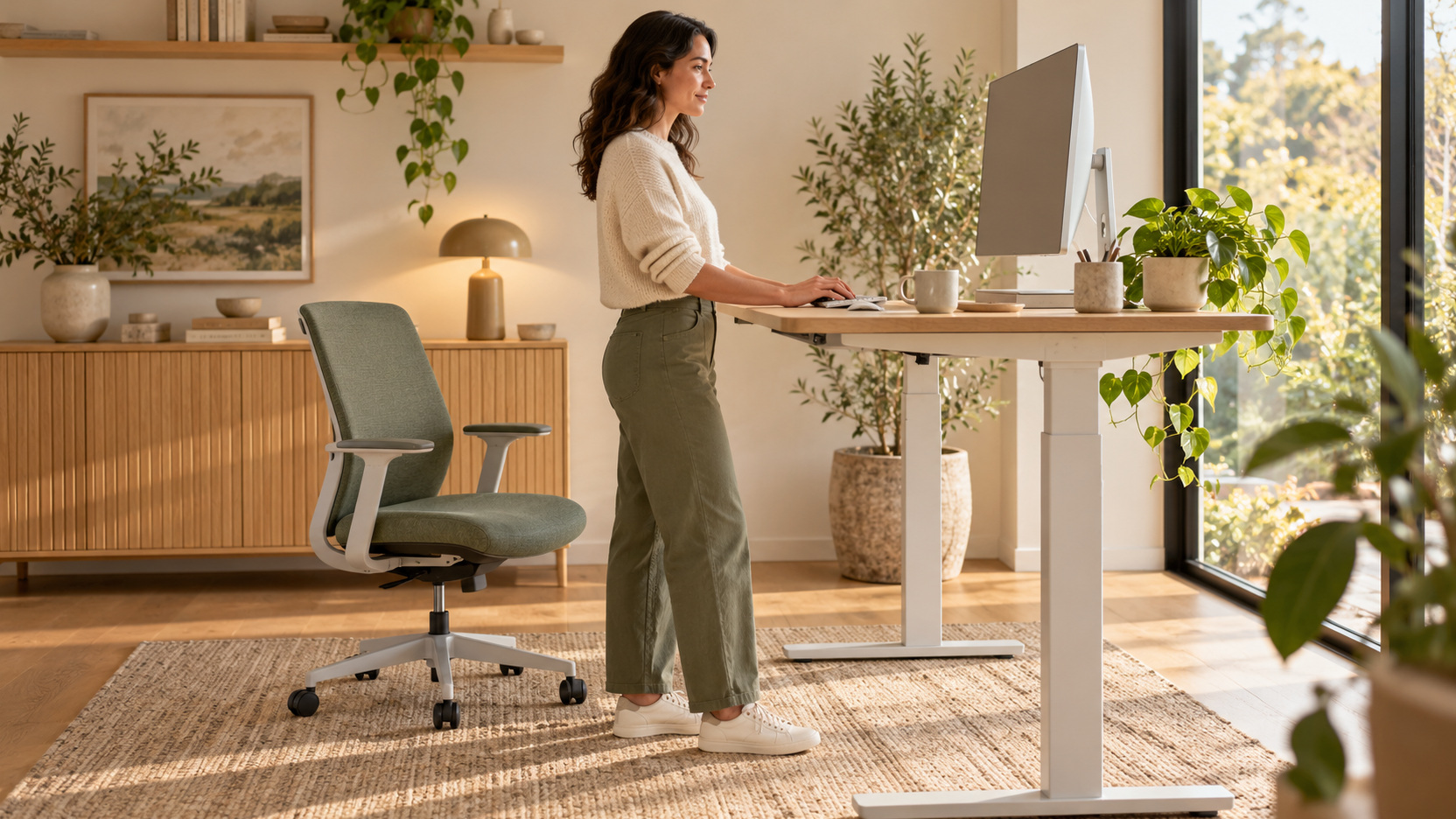
The chair should permit practical changes within supported working positions. OSHA’s working-position guidance encourages changing position during the day rather than remaining still for prolonged periods. Use that principle to assess whether controls, desk clearance, and the surrounding layout make movement manageable. An ideal-looking static pose is not the complete goal of a home-office setup.
Think about how task changes will occur in the room. Reading away from the screen, taking a call, or stepping away should not require climbing around furniture. Plan a route that supports ordinary changes without disrupting the entire workstation. Chair choice and room arrangement work together in making those transitions convenient.
Persistent pain, numbness, or other symptoms deserve appropriate professional attention rather than repeated furniture shopping as a substitute for assessment. A workstation review can help identify awkward arrangements, but it does not diagnose a personal condition. If symptoms affect your work, seek suitable clinical advice and workplace support where applicable. Keep product selection within its practical role of improving fit and usability.
Keep a short record of which task brings a concern to your attention. That can help an appropriate assessor distinguish a workstation relationship from a general impression about the chair. Include changes already tried and whether their effects were temporary. Clear observations support a more useful conversation without turning personal experience into a self-diagnosis.
Choose With a Written Trial and Service Plan
Before ordering, summarize the settings that worked, the relevant specifications, and any remaining concerns. Check the exact model, supplied casters, assembly requirements, delivery terms, and trial conditions. Ask about replacement components and service for the features you will rely on. A clear purchase record is easier to use later than a recollection that the chair had many ergonomic options.
After delivery, assemble or fit the chair according to its instructions and recreate the supported setup. Evaluate the work tasks first, then finish a normal work session: put documents away, park the chair, and let someone use the neighboring sofa seat and storage. A chair that fits personally but has nowhere useful to go may need a different desk position rather than a worse seating adjustment. Raise an actual product mismatch within the applicable return or service process. The best chair supports your work and leaves a workable family-room arrangement when that work ends.