Understand the Light Behind the Picture
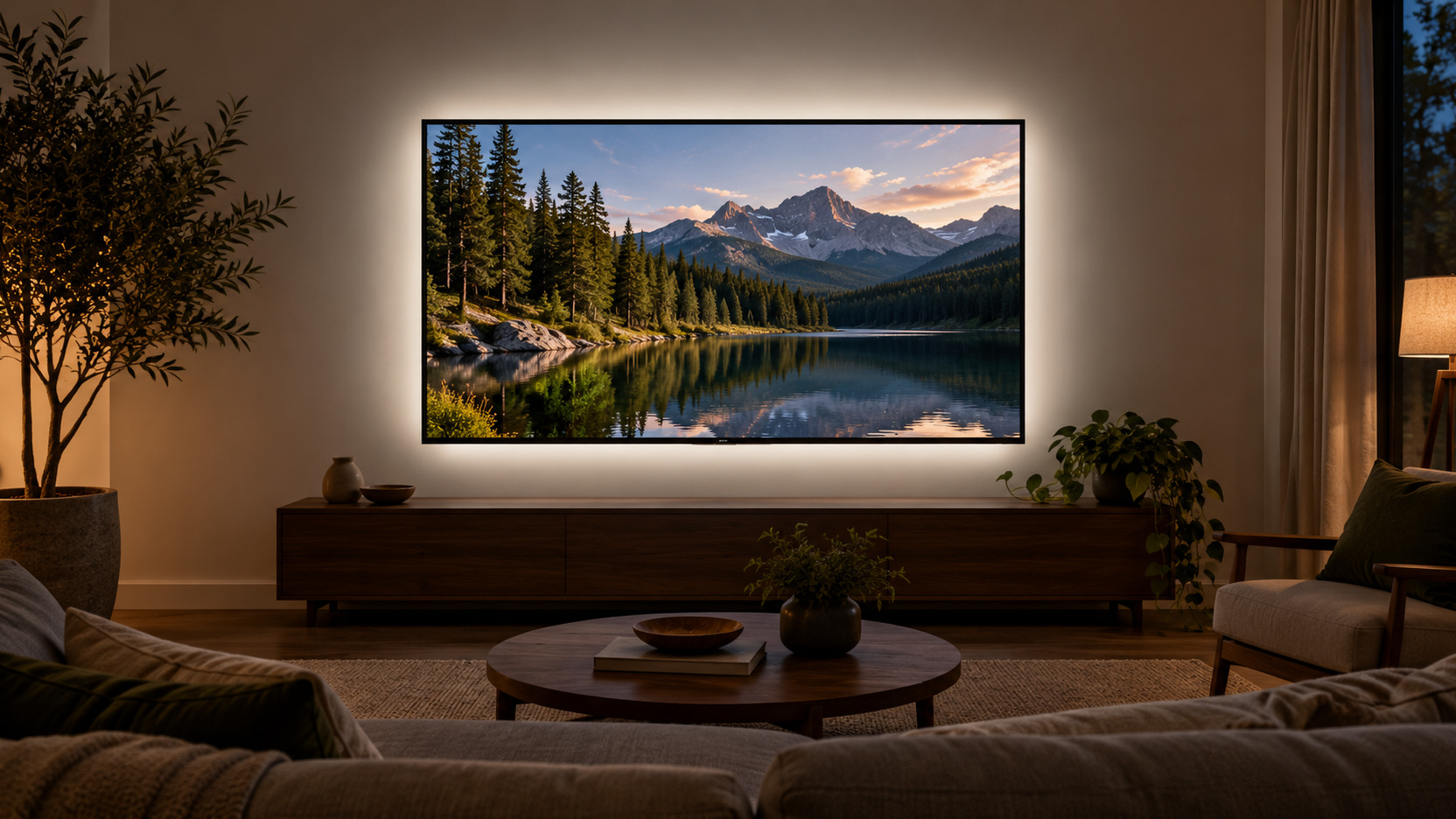
TV bias lighting is a restrained light source behind the display that illuminates the wall or surrounding surface. Its purpose is to create a useful viewing surround while keeping the light itself out of the viewer’s direct sight. That sounds simple, but the wall, television placement, controls, and product choice determine whether it works well in your room. A backlight can be worth considering when the screen feels isolated in an otherwise dark area, yet it is not an automatic requirement for every family television. Understand the job it performs, then assess whether that job fits your household’s viewing habits.
Distinguish a Viewing Surround From Decorative Effects
Bias lighting and colorful television lighting can occupy similar physical positions while serving different purposes. A restrained neutral surround is intended to support viewing conditions. Color-changing effects may be chosen for atmosphere or entertainment instead. Decide which experience you want before comparing products that both happen to mount behind the screen. A restrained glow reduces the abrupt brightness transition between a bright picture and a completely dark surround. As BenQ explains, this is a change to viewing conditions rather than the display’s actual contrast or image quality. The surrounding light can affect how the picture appears to a viewer, which is why an on/off comparison is useful without promising a better panel or a medical benefit.
An animated wall wash that follows a program can be enjoyable for some viewers and distracting for others. Its value is a household preference rather than proof of a more accurate picture. A neutral viewing surround has a different set of selection priorities, including output control and the character of its white light. Avoid treating the two categories as interchangeable because their photographs look similar.
Recognize What the Backlight Cannot Change
A light behind the screen does not alter the television panel’s native black level, resolution, or supported picture formats. It changes the surrounding viewing environment. Keep that distinction clear when evaluating claims about perceived contrast or appearance. A more comfortable-looking room is different from a hardware performance upgrade.
It also does not remove a window reflected on the front of the display. That problem still requires attention to the window, screen position, or relevant light source. Diagnose visible glare before buying a backlight to solve it. Otherwise you may add illumination without addressing the reason the picture is difficult to see.
Do not regard bias lighting as treatment for persistent discomfort or a guarantee that long viewing sessions will feel better. People, content, and rooms differ. Assess the practical viewing arrangement and take ordinary breaks as needed. If a symptom requires professional attention, a lighting accessory is not a substitute for that care.
Assess the Wall That Receives the Light
The backlight’s visible effect depends on the surface behind the television. A broad relatively unobstructed wall can distribute reflected light differently from a narrow recess, dark finish, or heavily textured surface. Observe the space around your screen before selecting a product. Furniture, shelves, and decorative objects may interrupt the intended surround. The useful result is a restrained background that supports the picture, so the wall’s actual behavior matters more than an ideal installation photograph.
Check Distance and Mounting Clearance
Review the space between the screen and the wall. Very close mounting can produce a different visible distribution from a television standing farther forward on a console. Check the lighting manufacturer’s guidance for the proposed arrangement. A product that fits physically on the TV may still need careful placement to produce an even useful result.
Keep the mount and television requirements in view. The light, its controller, and its cable should not interfere with bracket movement, release mechanisms, or ventilation. Plan their positions before attaching anything permanently. If the screen must be moved for access, follow its handling guidance and arrange suitable assistance.
Choose White-Light Quality for the Intended Purpose
For color-conscious viewing, a product designed around a neutral reference surround is a more appropriate category than a decorative rainbow strip. MediaLight’s product guidance describes its D65-oriented white bias lights and explains that television power behavior and installation conditions affect use. Treat those as product-specific details rather than a guarantee about every backlight. Check the specifications of the exact model under consideration.
A simple color-temperature label does not tell you everything about a light’s suitability or quality. Review the manufacturer’s stated purpose, output control, and relevant specifications together. Avoid claiming studio-level accuracy from an inexpensive strip merely because a listing includes a familiar number. If precision is important, choose evidence appropriate to that requirement.
For ordinary family viewing, decide how much precision matters to your actual use. Some households want a modest neutral background and straightforward operation; others care closely about a consistent reference environment. Those needs can lead to different spending choices. Buy for the requirement you have rather than the most technical description available.
Prioritize Adjustable Output
A useful backlight should let you establish an appropriate restrained level for the room. Too much light can make the surrounding wall dominate the scene. Check the product’s supported dimming range and controls. Judge the reflected wall, not just the brightness of the bare strip before installation.
Use the manufacturer’s setup guidance for the intended viewing conditions. Avoid copying an exact setting from someone else’s room, because television output, wall finish, distance, and other room lights differ. Start with a conservative practical level and compare familiar content. The light should remain a supporting part of the view rather than a second entertainment feature unless that is deliberately your preference.
Plan a Complete Suitable Power Route
Check how the selected light is intended to receive power. Some products use a compatible TV USB connection, while others use a specified separate supply. Follow both the light and television guidance instead of assuming any available socket or port is suitable. Confirm the required connection before ordering accessories.
TV USB behavior varies by model and configuration. A port may remain powered after the screen switches off or behave differently from what the household expects. Verify the actual television’s behavior and the lighting product’s supported control options. Automatic operation is a feature to confirm, not an assumption to build the installation around.
Route the power lead where it will not snag on the mount or hang from a fragile connection. Keep access to the appropriate disconnection point. Do not improvise hidden electrical wiring to support a small accessory. A backlight should fit within an appropriate existing power arrangement or a properly planned solution.
Fit the Light According to Its Instructions
Read the installation guidance for the exact product before attaching it to the television. The allowed route, attachment surface, corner treatment, and any cutting instructions vary. Do not assume one manufacturer’s strip can be altered like another. Prepare and place it only as specified, keeping ventilation openings and required clearances free. If access is awkward, resolve that handling issue before proceeding rather than attaching the light blindly behind a mounted screen.
Check the Visible Distribution From the Seats
Inspect the surrounding wall once the light is operating at a restrained level. Look for exposed bright points, uneven patches, or shadows that pull attention away from the picture. Compare the result from the seats people actually use. A glow that appears even from one angle can look different from another.
Use supported positioning adjustments if the result is uneven. Follow the product’s guidance rather than folding, compressing, or redirecting a strip in an improvised way. Keep the device and mount requirements intact while refining the light. The installation should remain serviceable even if achieving perfect symmetry is impractical.
Evaluate With Familiar Programs
Choose a few programs the household knows well, including content with darker scenes. Keep the TV picture settings stable while comparing the backlight off and on. This isolates the environmental change more clearly. Let people settle into their usual positions instead of judging only during a short setup demonstration.
Ask what the light changes for each viewer. Someone may prefer the surrounding wall illuminated, while another may find the chosen level too prominent. Adjust output before deciding the entire idea is unsuitable. Preferences can also differ between a film evening and a casual daytime broadcast.
Test the arrangement with any necessary room or reading light. A family room may not operate as a reference viewing environment, and its shared activities still matter. Decide whether the backlight remains useful under those realistic conditions. An accessory that works only in a situation the household never uses may offer little practical value.
Keep the Controls Predictable
Check how the light behaves when the TV turns off and back on. Confirm whether the selected brightness returns, whether a separate remote is required, and what happens after power is interrupted. These behaviors are product-specific. Make the normal routine understandable to the people who will use it rather than relying on one person to manage the setup.
Compare the Benefit With the Whole Cost
Include any suitable power supply, controller, or supported accessory required for your installation. Consider the effort of reaching the back of a mounted television and the possibility of attachment or removal work. Keep those practical costs alongside the purchase price. A relatively inexpensive light can still be awkward if its operation does not fit the room.
Review return terms and support information if the effect is uncertain. A home trial under the seller’s conditions can help assess a preference that product photographs cannot settle. Keep packaging and records as required. Judge whether the actual improvement is enough to justify maintaining another powered accessory.
Account for a Shared Room's Limits
A family room may host reading and conversation during a film. Keep the useful lighting for those activities, then judge the backlight within that real arrangement. If the surrounding wall is already gently illuminated, an additional strip may contribute little. If a reading lamp reflects into the picture, moving that lamp or changing the viewing arrangement remains a separate task; the backlight cannot remove its reflection.
For a practical comparison, watch the same familiar dark scene with a modest general light, with the proposed backlight, and with the backlight off while other settings stay stable. Ask whether the surrounding light is preferred and whether its control routine is worth keeping. A useful result need not resemble a reference studio. It should fit the household’s viewing and the actual surface behind the television.
If people disagree, test a lower supported output or leave the accessory off for the shared session. An uncomplicated dimmer or control may support different occasions, while a complicated sequence can outweigh a small visual preference. Review attachment and removal requirements before buying, especially if the display is likely to move. The purchase should earn its place through a visible environmental benefit and manageable operation.
Decide Whether Your Room Benefits
Bias lighting is worth considering when a suitable behind-screen light produces a restrained surround the household prefers and its installation remains practical. It is less compelling when the main issue is front-screen glare, the wall cannot distribute the light usefully, or the controls add recurring friction. Make the decision after a realistic comparison. The best result is a viewing environment that serves the family without distracting from the program or complicating the room’s normal use.